Import statements
Your bank statement, read for you
The short answer
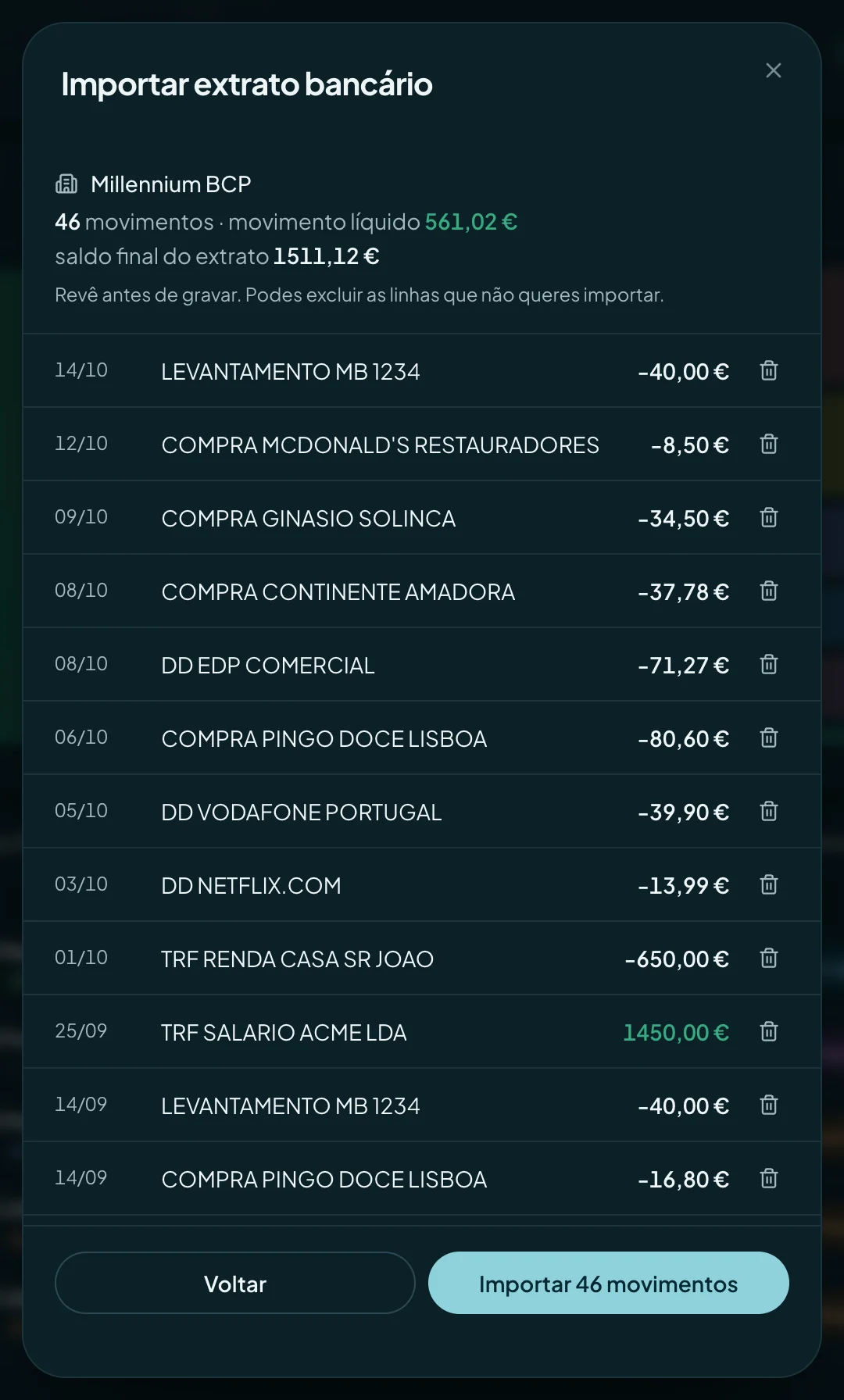
Export the statement from your bank’s website or app, as a PDF or CSV, and drop the file into finko. It works out the columns, names the merchants, suggests categories and shows you the list to review. Nothing is saved until you confirm, and duplicates are left out.
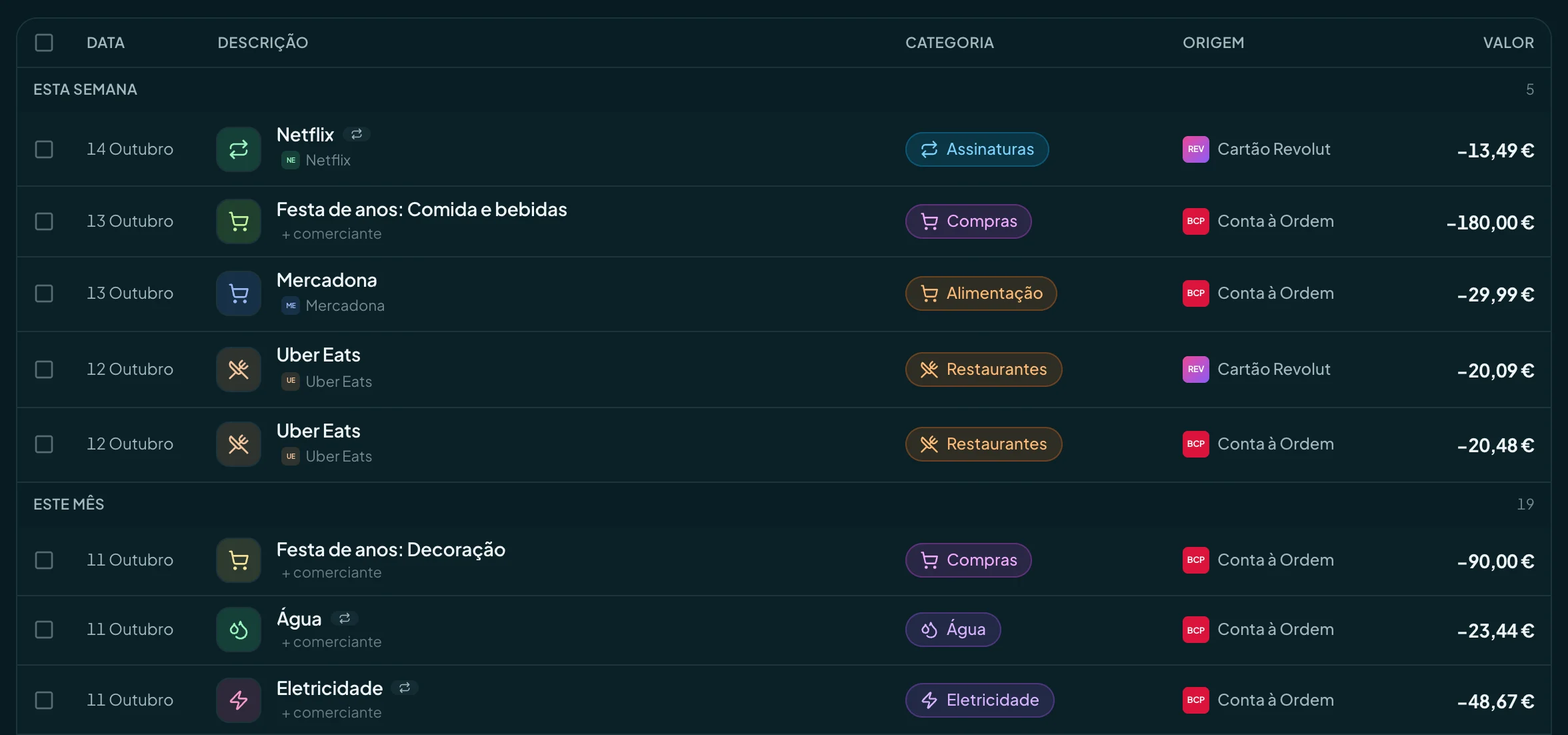
The problem
Every bank exports its statement differently, with descriptions like “COMPRA 4829 PAG*LX”. Copying that into a spreadsheet by hand is where most people give up.
- Every bank has its own CSV, with different columns and dates.
- The descriptions don’t say where you spent the money.
- Importing the same month twice doubles everything.
How finko solves it
01
No set format
CSV or PDF, exactly as your bank exports it. finko finds the date, description and amount columns.
02
Review before saving
See every transaction before it goes in and remove what you don’t want. Only then do you confirm.
03
Duplicates caught
Transactions with the same description, amount and day don’t go in twice, so you can import overlapping statements.
04
Merchants and recurring payments
Each description gets a readable name and a suggested category. What repeats becomes a recurring payment suggestion.
Banks whose CSV is recognised automatically
From any other bank, import the PDF or CSV the same way. Direct bank connection is available in Portugal and coming to more European countries.
 Caixa Geral de Depósitos
 Millennium bcp
 Santander
 Novo Banco
 BPI
 Banco CTT
 Revolut
Ask your agent
finko connects to Claude, ChatGPT and other agents over MCP. Ask in your own words and the answer comes from your numbers.
- How much did I spend on groceries last month?
- Which transactions from my last statement have no category yet?
- Find my payments to EDP over the last six months.
- Which subscriptions showed up on my September statement?
Questions
Which Portuguese banks work with finko?
Every bank that exports statements as PDF or CSV. CSVs from Caixa Geral de Depósitos, Millennium bcp, Santander, Novo Banco, BPI, Banco CTT and Revolut are recognised automatically. Other files are read with AI, and you review everything before it is saved.
How do I import a CGD statement?
On the Caixa website or app, export your account’s transactions as CSV or PDF. In finko, open Transactions, Import, choose the account and drop the file. The Caixa format is recognised automatically.
What if I import the same statement twice?
Transactions already in finko don’t go in again. At the end, finko tells you how many were imported and how many were duplicates.
Does finko connect to my bank directly?
In Portugal, yes, on the Pro plan. It goes through open banking (PSD2) and is read-only: you authorise at your bank, finko never sees your credentials and cannot move money. Up to 12 months of history come in, and new transactions arrive on their own. Consent lasts up to 180 days, then you renew it. Elsewhere in Europe, and on Free, you import your statement; direct connection is coming to more countries.
Keep going
Who it’s for (in Portuguese)
See your month before it happens.
Free plan, for ever. Pro at €6.99 a month or €59.90 a year, with 14 days to try it.
Create a free account